Canadian owned and operated

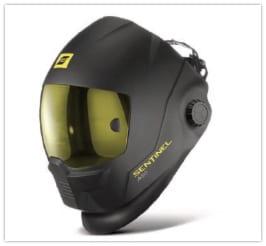
One of the best features of the ESAB Sentinel A50 is the ability to switch to grind mode with a simple tap on the side of the shell. If your switch has been damaged or has stopped responding, the ESAB 0700025605 External Grind Button is the exact part you need to get back in action. Welding environments are tough on gear; buttons get mashed, bumped, and covered in dust. This replacement assembly restores that smooth, one-touch transition that makes the Sentinel A50 a favorite among professional fabricators.
Replacing the grind button is a straightforward process. The kit comes with the button housing and the connector cable. Simply access the inside of your helmet, disconnect the old cable from the ADF, remove the retaining nut or clip holding the old button, and swap in the new unit. The fit is precise, ensuring that the button sits flush against the shell and operates smoothly.
Don't let a faulty switch slow you down. Lifting your helmet to change settings breaks your flow and exposes your eyes to the shop environment unnecessarily. By replacing a faulty grind switch immediately, you maintain the safety workflow that the Sentinel was designed for. This switch is built to handle the repetitive toggling required during fit-up and finishing work, ensuring that your helmet is ready for both the arc and the grinder at a moment's notice.
This part is compatible with the standard Sentinel A50 and the Sentinel A50 Air models. It is not compatible with the newer A60 models, which use a different interface.
| Additional Information |
|---|
| Brand:ESAB |
| Packaging Description:1 Per Ea |
| Compatible Model:Sentinel A50, Sentinel A50 Air |
| Part Type:External Grind Button, Switch Assembly |
| Color:Black |
| Installation Location:External Shell |